Clean context before you paste.
Format, normalize and wrap snippets so ChatGPT, Claude or other AI tools receive clearer context with less noise.
Browser-based support tool
preCode helps developers and technical makers clean code, remove sensitive data, convert formats and continue work from desktop to mobile with encrypted temporary spaces.
The problem
Developers paste code into AI tools, move context between machines, debug from mobile and share examples across chats. That workflow breaks when snippets contain secrets, messy formatting, incompatible formats or context trapped on one device.
Online tool
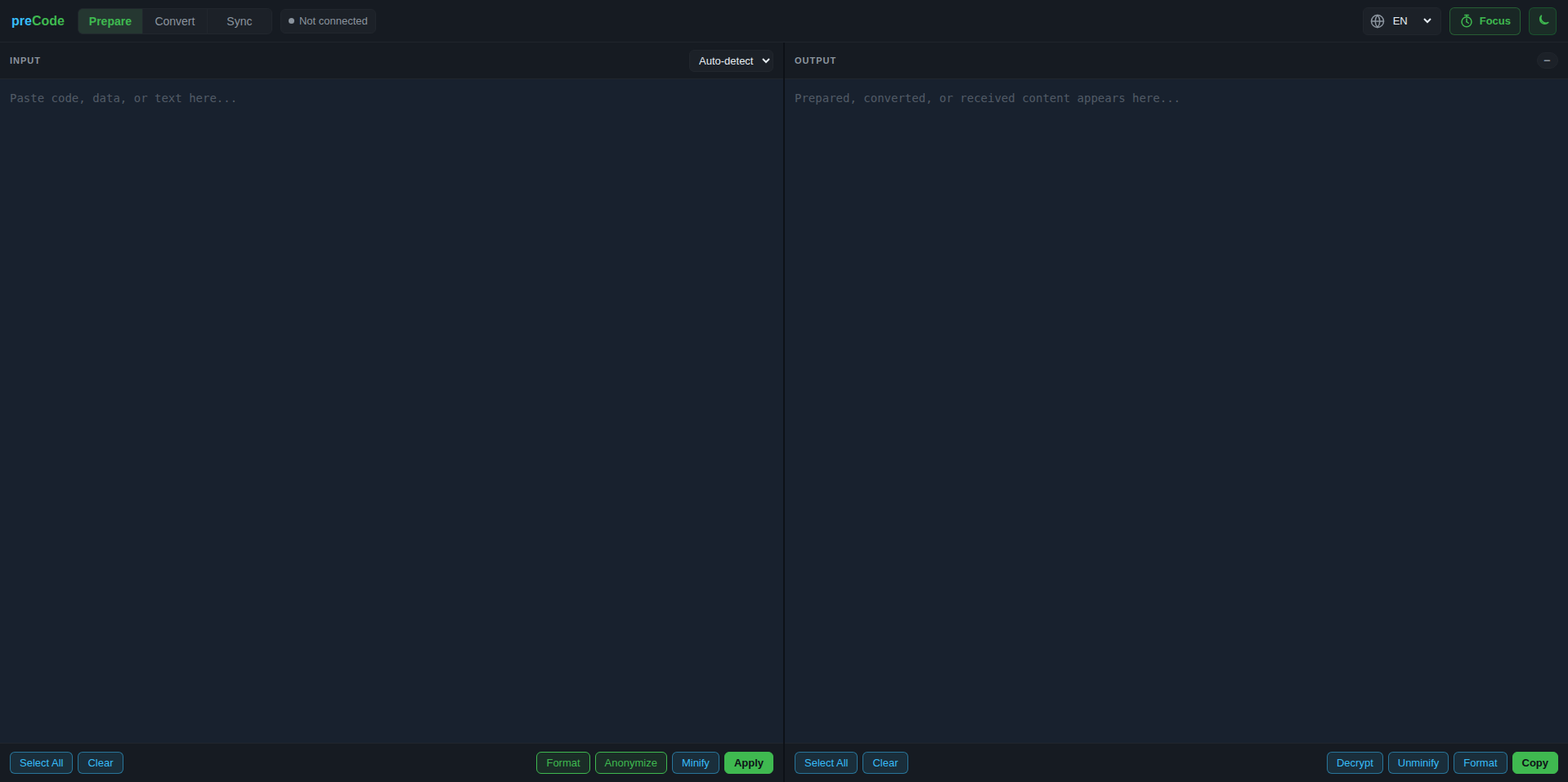
It is more than a formatter. Use it to clean snippets, protect sensitive data, convert formats and move temporary encrypted context between devices.
Format, normalize and wrap snippets so ChatGPT, Claude or other AI tools receive clearer context with less noise.
Detect and replace emails, private IPs, bearer tokens, API keys, passwords, UUIDs and other sensitive values.
Start on a computer, encrypt the snippet into a temporary space and retrieve it on mobile or another machine with the same password.
Handle JSON, YAML, CSV, Base64, URL encoding, Markdown, HTML, CSS and SCSS-compatible transformations.
Daily workflow
Use preCode whenever a piece of code needs to be cleaned, protected, converted or opened on another device.
Clean, format, convert and remove risky values before using AI or documentation.
Use encrypted temporary spaces when work needs to continue on another device.
Open the tool in seconds, without installing extensions or setting up another account.
Use the free trial to try the tools. Paid access can remove ads and increase practical limits.
Online tool
Free trial for secure code preparation, anonymization, conversion and encrypted snippet transfer. Paid access can remove ads and raise limits.
Focus mode adds a lightweight work timer inside the tool, so you can keep short coding or AI-review sessions moving without opening another app.
Prepare, convert and anonymize run in your browser. Sync stores only encrypted temporary payloads for up to 24h; we do not use your snippets, passwords or transferred content.
Free trial
Join with your name and email to use the free version and receive useful product updates. The standard Free plan is limited and may include discreet ads.
Launch promo: preCode Plus is open for free during the platform launch. Use it without ads and without the launch limits until September 30, 2026.
Support the project
If preCode saves you time, you can support the project with a voluntary contribution. Donations help cover hosting, maintenance and new browser-first features without interrupting the free version.